
The fastest way to decide what to cook
If you've ever stared into the fridge and given up on dinner, you're not alone — it's the most common reason households end up ordering takeout. The fix isn't more recipes. It's a way to match what you already have to meals you can actually cook tonight.
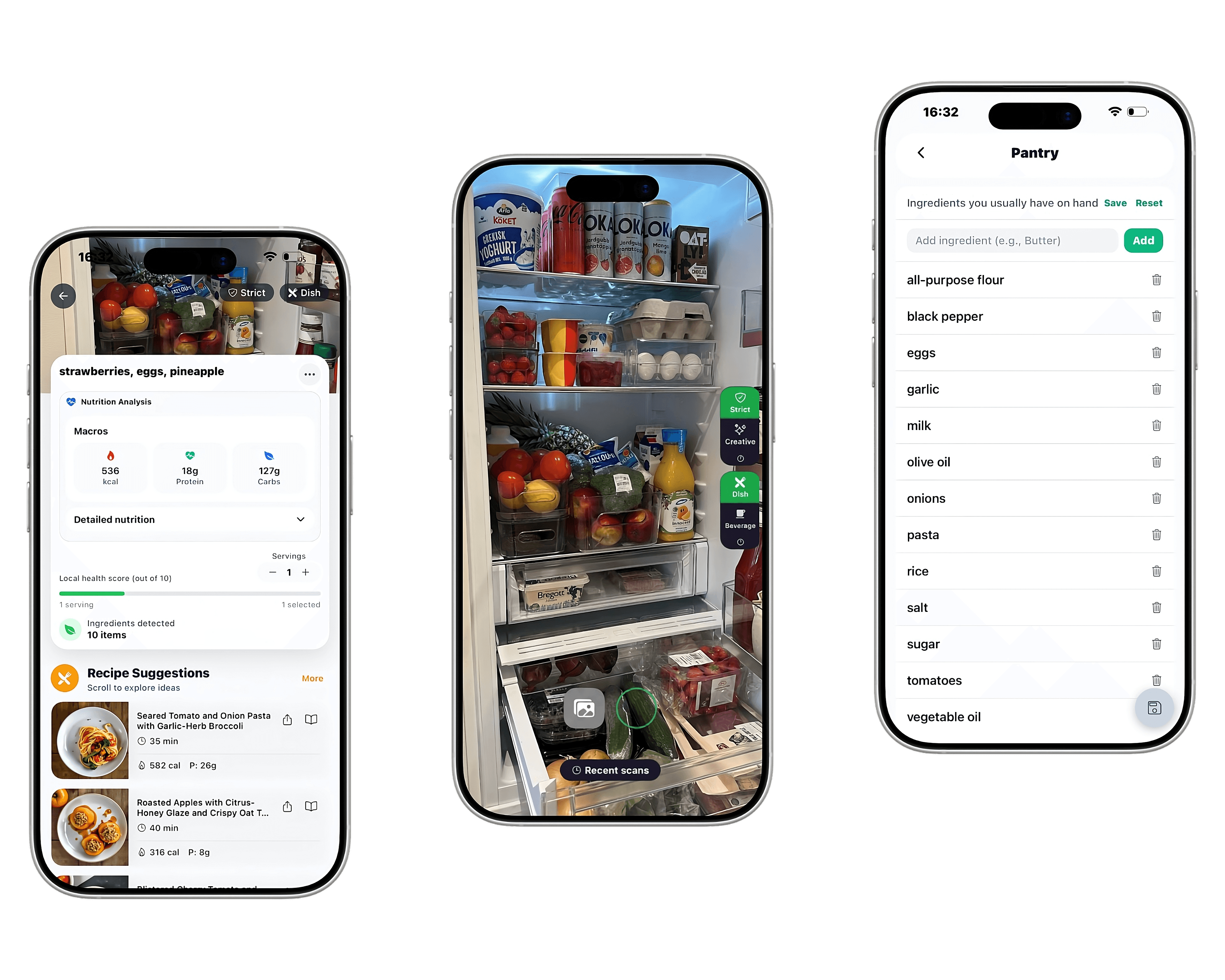
Appetizer is built for that exact moment. Tell the app what's on your shelves (or scan with the camera) and it generates recipes built around those ingredients first, filling in only the staples you almost certainly already have.
How the ingredient-to-recipe flow works
Start with what you see. Type or scan three to ten ingredients — proteins, vegetables, grains, even half-finished jars. The app cross-references those with thousands of recipe patterns and ranks the best matches.
You can then filter by time, calories, diet, or skill level. Pick a recipe, tap into the full instructions, and Appetizer walks you through it step by step. Each recipe also shows nutrition, so you can quickly compare options.
- Type or scan ingredients you have on hand
- Filter by time, diet, or protein target
- Tap a recipe for step-by-step cooking mode
- Save favorites and reuse them next week
Common starting combinations
Some ingredient combos open up dozens of meals. Chicken + rice unlocks salsa verde bowls, casseroles, curries, and stir-fries. Eggs + spinach gives you scrambles, frittatas, breakfast wraps, and salads. Pasta + canned tomatoes is the base for arrabbiata, simple marinara, baked ziti, and quick weeknight pasta.
Appetizer's recipe collections are organized exactly around these combinations so you can browse, pick, and cook without thinking too hard.
Why this beats searching Google
Searching 'what can I make with chicken and rice' returns blog posts with 90-minute recipes, six ingredients you don't have, and ads between every paragraph. Appetizer cuts all of that — it knows your ingredients, your time, your diet, and only shows what fits.